Replit and Lovable get compared as if they were one product in two colours. In both, you describe what you want and an agent builds it. From a blank page, choosing is mostly taste. With an app you already have, one difference decides it. Replit can import an existing repository, and Lovable can only export to a new one.
There's also a case where neither is the answer. If you'd rather the app didn't move at all, and the person asking for changes doesn't code, the Refinar section further down covers a tool that works on your GitHub repository without moving the app anywhere.
Replit vs Lovable side by side
| Replit | Lovable | |
|---|---|---|
| Your existing GitHub repo | Imports it, public or private | Can't import it |
| Other tools' projects | Lists Lovable, Bolt, Base44 and Vercel as import sources | None |
| What it runs | Python, Node and other languages, with system packages via Nix | TanStack Start for new apps, React with Vite for older ones |
| Team size | Up to 5 collaborators on Core, 15 on Pro | Unlimited members on every plan |
| Paid plans from | Core, $20 a month | Pro, $25 a month for 100 credits |
Prices come from replit.com/pricing and Lovable's plans page on 29 September 2026.
Can Replit import an existing GitHub repo?
Yes, in two ways. Rapid import handles public repositories. Open replit.com/github.com/<owner>/<repo> and it starts. Guided import at replit.com/import covers private ones as well, once you've connected GitHub. According to Replit's import docs, it detects the stack and sets up run commands as it goes. If a repository owned by an organisation doesn't show up, an admin may need to grant the Replit app access to that organisation.
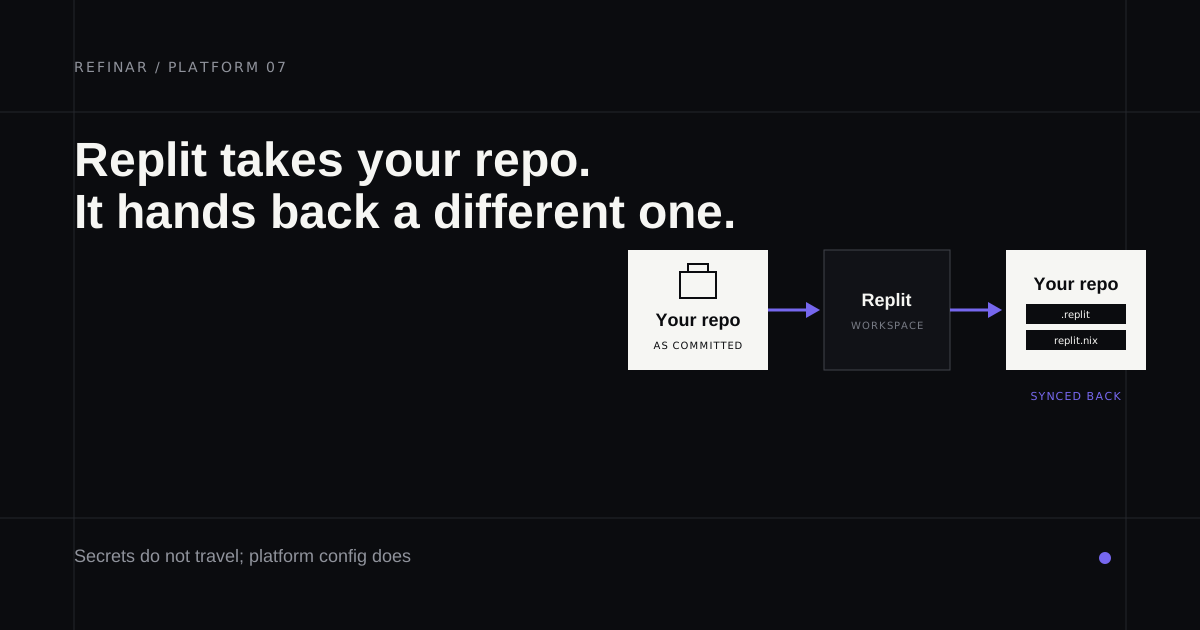
Some things stay behind. Secret values and environment variable values don't come across, so every key gets typed again in the Secrets pane. Nor do platform-specific services that don't run in Replit by default, which is the gap you won't see at boot.
Then there are the files Replit adds. Replit apps are configured by .replit and replit.nix, per its configuration docs, and the file tree hides both by default. The first holds the run command and deployment settings, and the second declares system packages through Nix. Turn on auto-sync in the Git pane and they'll travel back to your repository with everything else, so warn your team before they turn up in a pull request.
Import can cost credits too, since Replit's docs say imports needing Agent migration work can consume them. On a large codebase, import a fork and read what changed first.
Lovable only goes one way
Lovable's Git sync docs label it "Export only", and connecting a project always creates a new repository. The sync is on every plan, Free included, and it's two-way once linked, so a developer can push to the synced branch and see the change in Lovable. None of that helps with an app that started somewhere else. The Lovable vs Cursor comparison covers the workaround people try and why it's awkward.
Moving a Lovable app to Replit
Replit's importer was built with this move in mind, and Lovable appears by name in its list of sources. The route goes through GitHub. Sync the Lovable project to a repository first. Then open Replit's importer, choose Lovable and select that repository.
Your code and styling come across, along with any backend logic and the database schema. The records in your Supabase database don't, and neither do secrets, so plan the data move before you announce anything to customers.
Replit
Best for: moving an existing app, or another builder's export, into a full cloud workspace.
Once imported, the app gets a whole workspace, with an editor, a shell, a SQL database and publishing under one roof, and the Agent works across all of it. Python is as welcome as Node.
Starter is free, with a daily Agent allowance and one published app. Core costs $20 a month ($18 yearly) with $20 of credits that reset each cycle, and Pro costs $100 ($90 yearly) with credits that roll over for two months.
The trade-off is where the work lives afterwards. Replit's files sit in your repository and its workspace becomes the place changes happen. For a solo project that's the appeal, but a team with its own deploy pipeline ends up keeping a second home.
Lovable
Best for: a new app from a prompt, for a team that doesn't want to pay per seat.
Lovable prices by credits and ignores headcount, so inviting the whole company costs nothing extra. The Pro tier is $25 a month with 100 credits, Business $50, and the Lovable pricing post has the full ladder. Downloading the code as a zip needs a paid plan, though Git sync doesn't.
Where Replit takes your stack as it finds it, Lovable chooses one for you. If you outgrow the built-in backend later, its hosting and ownership guide names managed or self-hosted Supabase as the supported destinations. Moving to plain Postgres means building your own equivalents for authentication and storage.
Refinar
Best for: keeping the repository where it is while someone who doesn't code asks for changes.
Refinar takes a third position. Replit moves your app into its workspace and Lovable won't take it at all, while Refinar leaves the repository where it is. Once it's connected from GitHub, the app runs in a cloud sandbox, backend and all. You describe the change in plain words and watch it happen in the preview. Each change turns into a draft pull request for your usual review (how it works), and payment or customer-data changes are held for a developer.
Python and PHP backends are covered too, through adapters for Django and Laravel among others, and plans begin at $50 a month (pricing).
Which one
- The app exists and a developer wants a cloud workspace for it: Replit.
- You're starting fresh and want the whole team in without seat pricing: Lovable.
- The repository stays the source of truth and the people asking for changes don't code: Refinar.
- A developer is doing the work in their own editor: see Lovable vs Cursor.
Before importing anywhere, give the web app security checklist ten minutes, and run the keys you're about to re-enter through which env vars are public so nothing secret ends up in browser code.
If you'd like to see your repository running before you move it anywhere, start a Refinar session on it and leave the import decision until after.