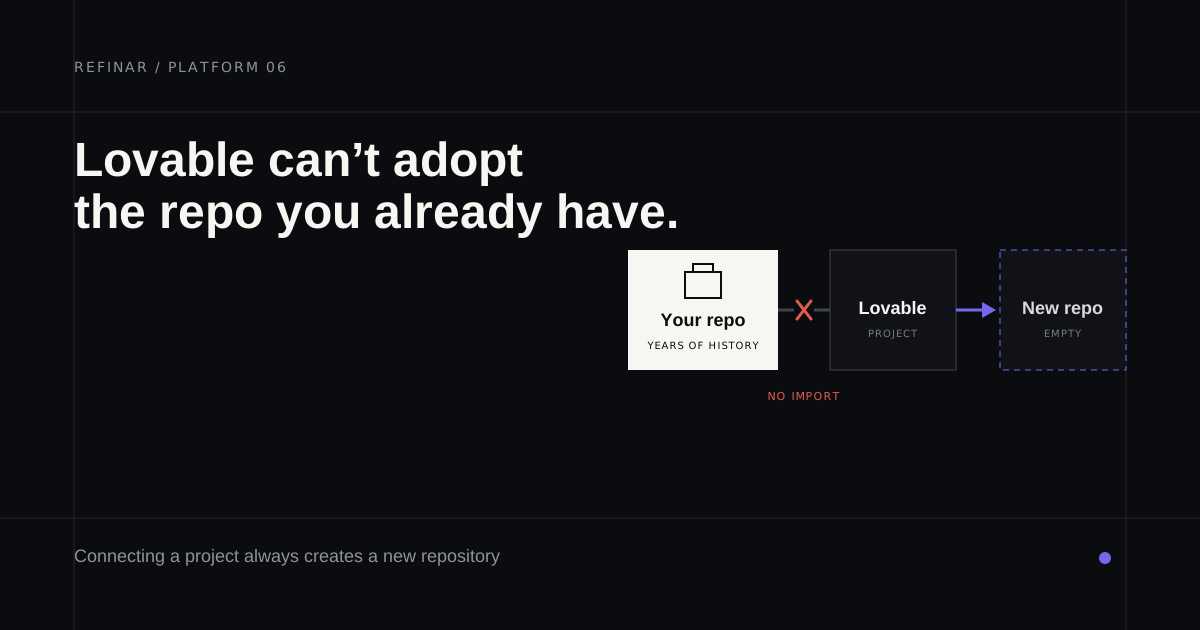
You've got it down to two. Lovable, where you describe an app and watch it appear in a browser tab, or Cursor, the editor developers keep telling you about. Most comparisons split them by who's typing, a founder who doesn't code or an engineer who does. For a lot of people, though, a plainer question settles it first. Do you already have code?
If the app already sits in a GitHub repository, one of these can work on it and the other can't, and that outweighs anything on either feature page. And when the person who wants the changes doesn't write code at all, Cursor isn't much help either, so the Refinar section near the end covers a third tool aimed at that case.
Lovable vs Cursor at a glance
| Lovable | Cursor | |
|---|---|---|
| What it is | A browser app builder you prompt in plain language | A code editor with an AI agent, plus cloud agents |
| Where work starts | A new project, with a repository Lovable creates | Any folder or repository you open |
| Your existing GitHub repo | Can't import it | Works in it directly |
| How you check a change | Lovable's preview | The diff, plus your tests and local build |
| Entry price (monthly) | Free, then Pro from $25 | Free Hobby, then Individual at $20 |
Prices are from each vendor's own pages on 29 September 2026.
Can Lovable import an existing GitHub repo?
No. Lovable's Git sync documentation files it under limitations with the words "Export only", and its FAQ says there's currently no way to start a project from code that already exists on GitHub. Linking a project always creates a new repository. Disconnect and reconnect later and you get another new one, because a repository that's been unlinked can't be linked again.
Once linked, sync runs both ways on one branch. When the two sides diverge, or branch protection turns Lovable's push away, its changes land on a separate lovable-sync branch. Pushing never publishes, either. The live site changes only when someone publishes from Lovable.
That two-way sync is why a workaround keeps circulating. Make a blank Lovable project, then push your existing code into the repository it created. Pushed commits do show up in the project. What the docs don't promise is that Lovable will be comfortable editing code it didn't write. Projects created from 13 May 2026 are built on TanStack Start and older ones on React with Vite, so a Django service dropped into that repository is a long way from home. Your issues and deploy hooks also still point at the old repository, which someone will discover at an awkward moment.
Cursor works where the code already lives
Cursor's quickstart is refreshingly short. Pick a folder and ask the agent to explain the codebase before you change anything. It searches the repo and summarises how the pieces fit, and its edits come back as a diff you review.
If you'd rather not tie up a laptop, Cursor's cloud agents clone the repository from GitHub, GitLab, Bitbucket or Azure DevOps and push their work back on a separate branch. Either way there's no import step and no second repository.
Lovable
Best for: starting a new web app from a description when nobody on the team writes code.
Lovable is strongest on day one. You describe the app and it builds it, with hosting and publishing in the same place. Every plan, Free included, allows unlimited members sharing one pool of credits, a pleasant change from per-seat pricing. Pro begins at $25 a month for 100 credits, or $21 a month paid yearly, per Lovable's plans page at the time of writing.
Build credits follow the work each request does, and the Lovable pricing breakdown shows where they go once you're mostly fixing things.
Cursor
Best for: a developer changing an app that already exists, whatever it's written in.
Cursor doesn't mind where the code came from. A monorepo a contractor left behind opens the same way as a project that started in Lovable and outgrew it. Hobby is free with limited agent requests. Individual costs $20 a month and Teams $40 per user a month on Cursor's pricing page.
It does assume someone who can read a diff and run the project's tests. Its quickstart suggests low-risk copy and small UI fixes as first tasks, which is sensible. For the teammate who doesn't code, though, their request still waits in a developer's queue.
Using both on one app
This only works when the app started in Lovable. Lovable's docs say any coding assistant that works with Git can push to the synced branch, and those commits flow back into the project. Leave Lovable on its synced branch, usually main, and do local work on a feature branch you merge after review. Never force-push or rebase the synced branch, since edits made only in Lovable can be lost.
Working locally costs no Lovable credits. One thing catches people out, though. A local copy of a Lovable Cloud project reads and writes the same backend as the published app, so a record you delete on your laptop is gone for your customers too. The guide to moving a Lovable app to GitHub walks through the setup.
Refinar
Best for: someone who doesn't code, changing an app that already lives on GitHub, with a developer approving what ships.
Refinar sits in the gap between these two tools, a repository Lovable can't open and a person who won't open Cursor. You connect the repository and say what should change, typing it out or clicking the element in the preview. Refinar runs the whole app, server included, in a cloud sandbox, and once the change looks right there it goes to review as a draft pull request (how it works).
It flags writes to your connected services for approval, sign-in and payment changes need a developer's yes, and it only works with GitHub (pricing).
Which one
- You're starting from nothing and nobody codes: Lovable.
- A developer is making the change, in any repository: Cursor.
- The app began in Lovable and a developer is joining: both, on separate branches.
- The code is already on GitHub and whoever's asking for changes doesn't code: Refinar.
If you're holding the repository Lovable wouldn't take, hand it to Refinar and start with one small change you'd normally have to queue for.