You have an app on GitHub, and you've watched v0 turn a sentence into a working screen. The obvious next question is whether it'll do the same inside the code you already have. It will, with conditions, and most of those conditions come from Vercel.
If your backend isn't JavaScript, or production runs somewhere other than Vercel, read those conditions closely. The alternatives at the end open the same repository without a Vercel project, starting with Refinar for teams where the person asking for changes doesn't code.
Two ways v0 connects to GitHub
They're easy to mix up. Connecting a v0 project to GitHub goes outward. You pick an account and a repository name, then v0 creates a private repo and pushes the project's code into it. From then on, v0's GitHub docs treat that repository as the source of truth, and warn that deleting it can leave the code unrecoverable.
Import from GitHub goes the other way, and it's the one this post is about. It opens a repository you already have, and v0's import docs are explicit that it doesn't make another copy of a repository you can write to.
How Import from GitHub works
- Start a new chat and open the + menu in the composer.
- Choose Import from…, then Import from GitHub.
- Paste the repository URL, or pick an account or organisation and search by name.
- Choose the Vercel team and the base branch your pull requests will target.
- For a monorepo, pick the root directory of the app you want running.
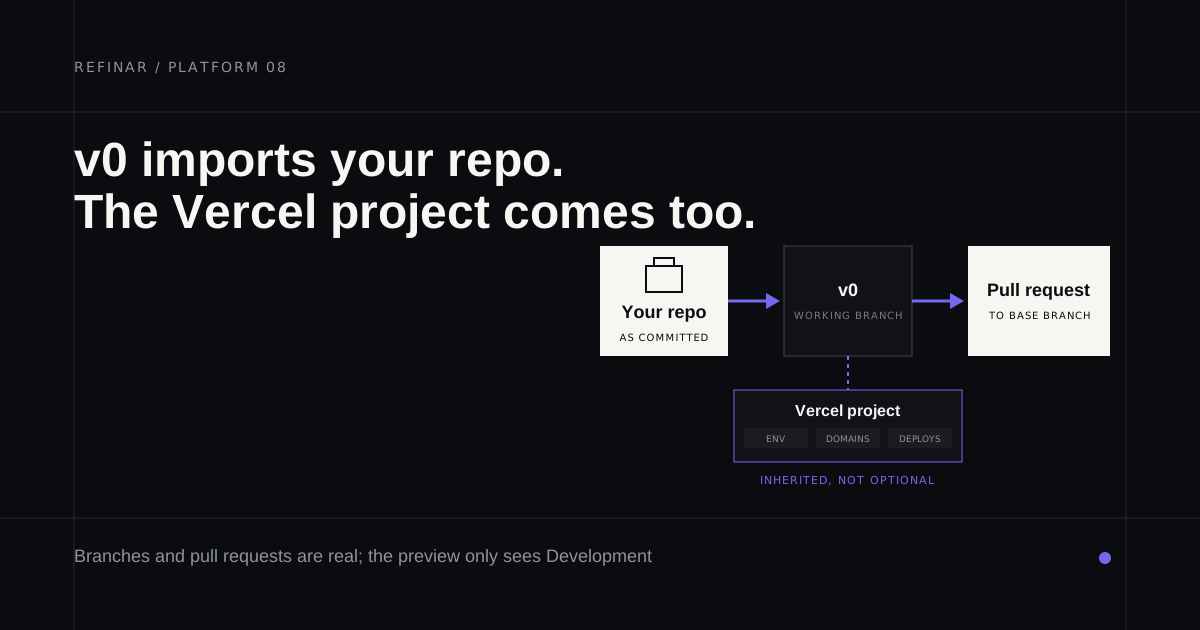
If the repository isn't connected to a Vercel project yet, v0 creates one as part of the import. If it is, you can pick that project, and the chat inherits its Development environment variables, integrations, custom domains and deployments.
What you get first is a chat and a Vercel Sandbox with the repo checked out at your base branch. Nothing is pushed until the chat changes code. The first change creates a working branch that v0 commits and pushes to automatically, and a preview deployment follows. It never pushes straight to the base branch.
If a repository is missing from the list, the Vercel GitHub App can't see it. Grant access in your GitHub App settings, and on an organisation's repository expect to need an owner to approve the app.
Publishing goes through a pull request
When the preview looks right, Publish opens a pull request (or reuses the one already open) and merges it into the base branch before production deploys. v0 follows your GitHub rules while it does this. Required checks or reviews can block the merge, as can any other branch protection, and when that happens v0 leaves the pull request open and explains what's missing. It can try to fix failing CI or merge conflicts for you. Human reviews still happen in GitHub.
That's a better git workflow than most builders manage, and it's the main reason teams who care about review should give v0 a look.
Where v0 fits, and where it strains
Two things decide whether it suits your repository.
The first is the runtime. Imported repositories run in Vercel Sandbox, which v0's docs describe as a full Node.js environment for the repository's development server. A Next.js or Vite app is at home there. The docs don't describe running a Django or Rails app, so test on a fork before you plan around it.
The second is secrets. The Vercel integration docs say the v0 preview can only read variables from the Development environment, and sensitive environment variables are off limits. If checkout or sign-in depends on a live key, the preview won't exercise it until someone fills Development with test credentials.
Teams have one more setting to find. On Plus, a teammate needs access to the GitHub repository to work in its chat and generate previews, unless an admin turns on Allow v0 to Act on Behalf of Members.
Pricing runs on credits. Free is $0 with $5 of monthly credits and a limit of 7 messages a day. Plus costs $30 per user a month and Business $100 per user, per v0's pricing page on 29 September 2026. Source files v0 reads count as input tokens, so a big repository makes each message dearer.
v0 alternatives for an existing repo
If the runtime or the Vercel project is the sticking point, these open a repository you already have.
Refinar
Best for: a repository that isn't Next-shaped, or a team that doesn't deploy on Vercel, where the person asking doesn't code.
Refinar takes the repository straight from GitHub and starts every part of it on a cloud sandbox, a Python or PHP backend included. Adapters cover Laravel, Django, Rails, Go and Rust servers next to Next, Vite, Astro, Nuxt and Angular frontends, and monorepos too, with no Vercel project in the picture. Each change arrives as a draft pull request (publishing a change). Writes to connected services are flagged for approval, and any change involving customer data waits for a developer. About 100 requests cost $50 a month (pricing).
Replit
Best for: moving the app into a full cloud workspace, Python included.
Replit's importer takes public and private GitHub repositories and sets up the run commands. Your secret values don't come across, so every key is re-entered by hand, and Replit's .replit and replit.nix configuration becomes part of the project. Core is $20 a month. Replit vs Lovable has the rest.
Cursor
Best for: a developer who'd rather edit the repository directly.
There's no import at all. Cursor opens the folder on your machine, or its cloud agents clone the repository and push a branch back. Individual is $20 a month, and Teams costs $40 per user.
Bolt
Best for: poking at a JavaScript app in the browser.
Bolt imports an existing repository from a list or by URL. It only supports JavaScript backends, so PHP and Python are out. Bolt also commits automatically each time a change doesn't break the project, starting on main, so switch to a branch or turn on protection first. Only the project owner can manage the GitHub connection.
Which one
- Next.js on Vercel, with someone keeping Development variables useful: v0.
- Another stack, or production somewhere other than Vercel, and the person asking doesn't code: Refinar.
- A developer doing the work: Cursor.
- A move into a cloud workspace: Replit.
- A quick JavaScript experiment: Bolt.
If v0's sandbox can't run your stack, ask Refinar for the same change on the repository exactly as it stands.