You have a spec due on Thursday, two pull requests waiting for your approval, a prototype to show on Monday and a fix customers have been asking about since spring. Most lists of AI tools for product managers help with the first of those.
Search the phrase and nearly everything on the first page writes something for you, whether that's meeting notes or a PRD. Those tools earn their place. This list starts with the job they leave out, getting that spring fix into the live product, then goes back through the week from spec to prototype, grouped by the job. Refinar appears three times, once for the product and twice for free tools it offers.
Changing the live product
Refinar
Best for: a PM whose app is already on GitHub and who wants small fixes live without learning to code.
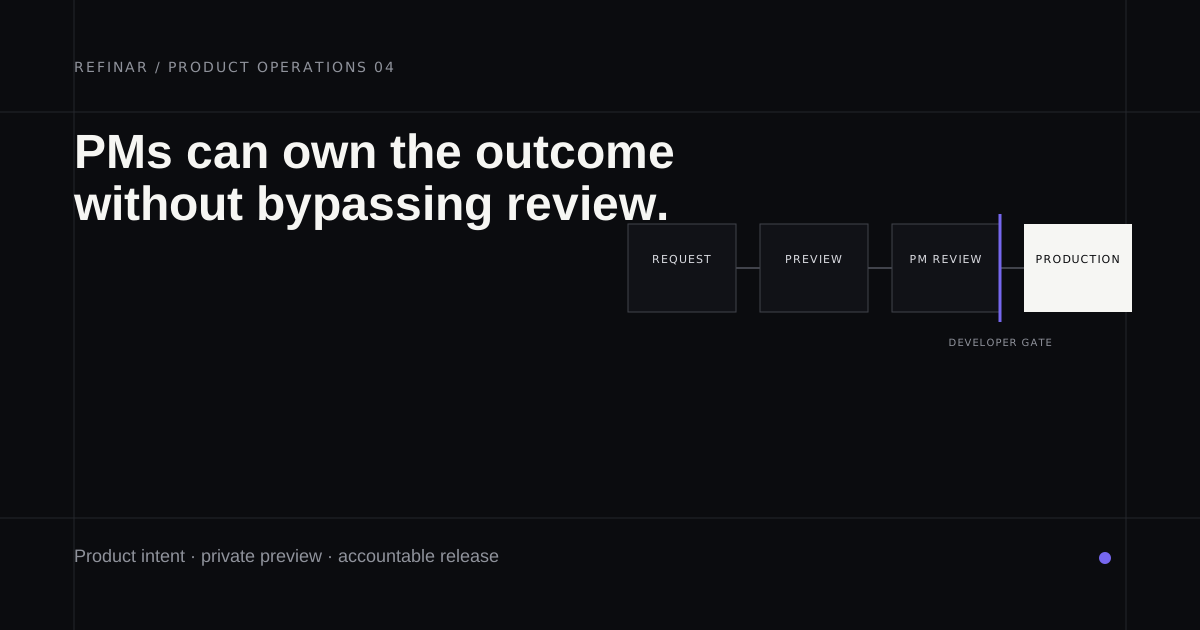
Most lists skip this job entirely, which is odd, given how long small fixes tend to sit in a queue. Refinar opens the app from its GitHub repository in a cloud sandbox. You describe the fix in plain words, or point at the spot on the live preview, and an AI agent makes the change as you watch. If the result isn't right, you can undo it any time before it's published. Work that comes near logins, billing or customer records is held back from publishing. The safe part gets built, and engineering receives the rest with a written brief. When it's done, engineering gets a draft pull request to approve, unless you'd rather publish it yourself. It changes apps you already have and won't build one from nothing. A plan with 20 teammates starts at $50 a month (pricing, how it works).
Writing the spec
ChatPRD
Best for: a PM who writes new PRDs most weeks and wants a first draft to argue with.
ChatPRD is built for the blank page. You describe the feature in a chat and it drafts the document. The free plan gives you three chats of limited length, enough to see whether you like its drafts. At the time of writing Pro is $179 a year, about $15 a month, and Teams is $349 a seat a year with a shared workspace and a Linear integration (ChatPRD pricing). Pro is where it gets more useful, because projects keep saved knowledge and you can upload files, so drafts can lean on your own research notes.
Refinar's PRD generator (free)
Best for: a spec for changing something that already exists.
A lot of PM writing is about a change to a product that's already running, and Refinar's PRD generator is written for that case. Describe the change and you get scope, what's out of scope, acceptance criteria you can check in a preview, and a flag on anything that touches sign-in or payments. Add a public GitHub repository and it lists the files the change will touch, checked against the repo's real file list. There's no signup. It can't read private repositories, so for most company code you'll get the document without the file list.
Reading code and pull requests
Refinar's pull request explainer (free)
Best for: a PM asked to approve a pull request they can't read.
Paste a public GitHub pull request into the pull request explainer. It tells you what users will notice, how risky the change is, what to try in the preview and which questions to put to the author. Every changed file is sorted into a part of the product (screens, wording, the database, payments and so on), which is a quick way to catch a "small copy change" that wandered into billing. Nothing is posted to GitHub, and like the PRD generator it reads public repositories only.
GitHub Copilot
Best for: questions about your own team's code, asked where the code already lives.
Copilot Chat is available from any page on GitHub, and GitHub's guide to asking it questions suggests using it from inside a repository, issue or pull request. That makes it the natural place to ask where the invite limit is set, or what a pull request changes, without interrupting an engineer. Copilot Free includes chat on GitHub. Pull request summaries need a paid plan, starting with Copilot Pro at $10 a month (Copilot plans). Copilot Free is only for people who don't already get Copilot through an organisation, so if you work somewhere bigger, ask IT for a seat first.
Prototyping
v0
Best for: a clickable version of a new screen before anyone commits to building it.
You describe the interface and v0 builds a working web front end you can click through and adjust visually in Design Mode. It syncs with GitHub, which gives an engineer something better to open than a screenshot. The free plan includes $5 of credits a month and a limit of seven messages a day, and Plus is $30 per user per month at the time of writing (v0 pricing). It can also import a repository you already have.
Lovable
Best for: a prototype that only makes its point with sign-in or saved data behind it.
Lovable Cloud gives projects a built-in backend, with a database and authentication among other things (Lovable Cloud docs), so a prototype can remember what a tester typed. The free plan has 5 build credits a day, up to 30 a month, and Pro starts at $25 a month for 100 credits (Lovable plans). If you're weighing a paid plan, the Lovable pricing breakdown walks through how the credits get spent.
Which one
- A small fix has sat in the queue for a month and the app is on GitHub: Refinar.
- You write new PRDs most weeks: ChatPRD.
- The spec is for a change to something already live: the PRD generator, then hand its output to whoever builds it.
- You're asked to approve pull requests: the explainer for public repositories, Copilot Chat inside your company's GitHub.
- You're weighing a coding agent instead: Claude Code for product managers sets out what it needs from engineering.
- You need people to click an idea: v0 for a front end, Lovable when the idea needs a backend.
Before a PM starts shipping changes, agree who approves what; the guide to staging a change is a good place to settle that.
If there's a fix that's been in your backlog since spring and the app is on GitHub, give that one to Refinar first and time how long it takes.