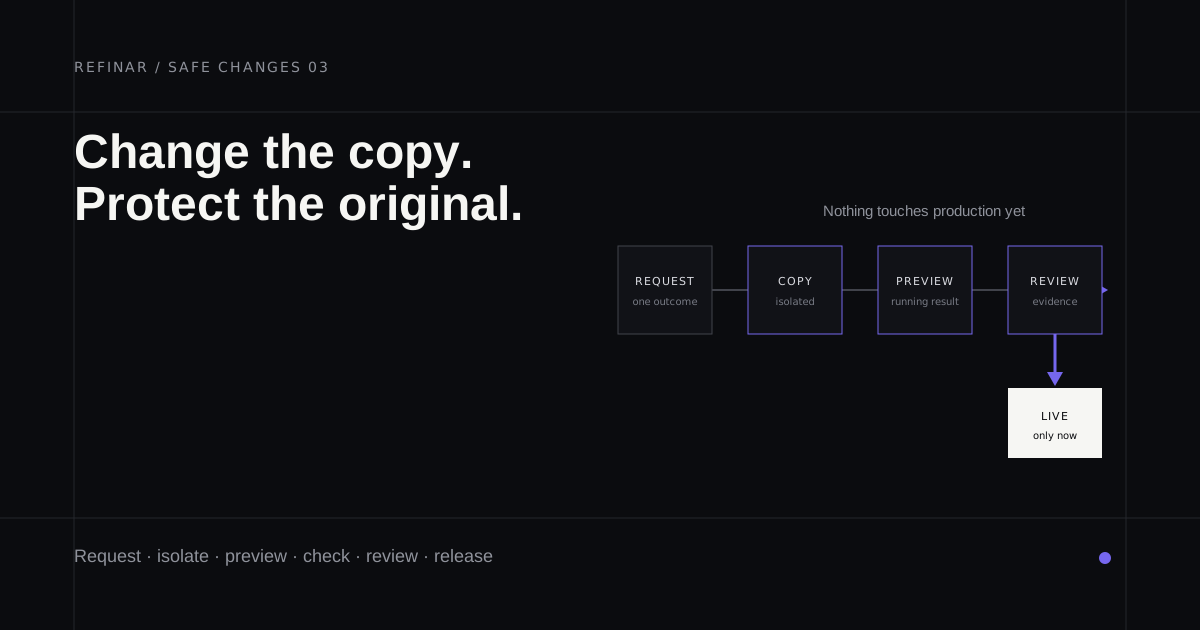
Someone wants to change the pricing page, and a developer asks whether it's been on staging yet. For plenty of small teams there's no staging to put it on. That's fixable, and it's smaller than it sounds. If the app is on GitHub and nobody has time to set anything up, Refinar runs each requested change in a cloud copy of the whole app, so there's something to click through before it gets near production.
What is a staging environment?
A staging environment is a second copy of your app that runs the same code as the live one but keeps its own data and keys, usually at its own address. You put a change there first, use it the way a customer would, and only then release it to production, the copy your customers actually use.
Staging should behave like production in every way except consequences. A payment there shouldn't charge a card, and an email sent from it shouldn't reach a customer.
Staging vs production
| Staging | Production | |
|---|---|---|
| Who uses it | Your team | Your customers |
| Address | Its own URL, often a staging. subdomain | Your real domain |
| Data | Test records, or a copy with personal details removed | Real customer data |
| Payment keys | Test keys (Stripe's start with sk_test_) | Live keys (sk_live_) |
| When something breaks | A teammate notices | A customer notices |
The row that matters most is keys. In a Stripe sandbox, card networks don't process payments, and each mode has its own set of keys (Stripe API keys). A staging copy that still holds the live key isn't staging. It's a second door into production. Vercel's environments docs flag the same trap in their own product, noting that a staged production deployment uses production environment variables, so testing it can reach production services and data.
What a small team needs
A permanent staging server that someone has to maintain is a lot for a team of five. Most of what it gives you comes in smaller pieces, and Vercel and Netlify both have them built in.
A preview for every change
Vercel creates a preview deployment whenever you push to a branch that isn't your production branch or open a pull request, each on its own URL (Vercel environments). Netlify builds a Deploy Preview for each pull request at an address like deploy-preview-42--yoursite.netlify.app, and refreshes it as new commits land (Netlify Deploy Previews). For most changes, that per-change preview is your staging.
If you'd like one long-lived staging site as well, Vercel lets any plan, Hobby included, point a staging branch at its own domain. Pro teams also get one custom environment per project.
Separate keys and data
Both hosts let a variable hold a different value per environment. Netlify's own example is an API_KEY with one secret for production and a non-production secret for Deploy Previews (Netlify environment variables). Once your payment variable holds a test key for previews, pressing Buy in one can't charge a real card.
Data needs the same treatment. If your database is on Supabase, branching gives each branch its own instance and API credentials, and new branches start without your production data by default (Supabase branching).
Copying production data into staging is tempting, because real records turn up real bugs. If you do it, strip out names and email addresses first, since a staging database full of customer records needs the same protection as the live one.
A way back
Vercel's Instant Rollback points your domain back at an earlier production deployment. Hobby can go back one deployment; Pro and Enterprise can pick any earlier production deployment (Instant Rollback). On Netlify you open an older deploy and press Publish deploy, which is instant, though the next Git-triggered production deploy replaces it unless you lock publishing (managing deploys).
A rollback swaps the deployed code and leaves your database as it is. Vercel's rollback screen reminds you that external APIs and databases may have moved on since the older deployment, which is why a database migration deserves a release of its own.
Someone who looks before it merges
The last piece is a person. A draft pull request keeps the preview link and the reviewer's yes in one place, and it's where a developer spots the wording change that somehow edited a payments file.
How to change a live app without breaking it
- Make the change on its own branch, so production doesn't see it until you merge.
- Open the preview and use it like a customer, on a phone as well as a laptop, with test keys doing the paying.
- Read the list of changed files. A copy fix that touches checkout code or adds a migration needs a developer before it merges.
- Merge, then watch whatever sits closest to the change (sign-ups, checkout completions, errors, the support inbox) for the first hour.
- If it goes wrong, roll back first and investigate after.
Before a launch, the free website launch checklist loads your real site and catches staging settings that shipped by accident, such as a leftover noindex. If the app is already broken, start with the broken-app check instead, and keep the web app security checklist for the bigger picture.
Where Refinar fits
Refinar gives every request something like its own staging. It opens the app from your GitHub repository and runs the complete thing in a cloud sandbox, with a preview you can click through the way a customer would. Services the app relies on can be connected too, and the setup guide asks for development keys rather than live ones (connecting a service). Until a change is published it can be undone, and a change that touches how people sign in, pay or store their data won't go live on its own. Your developer takes that part, or one of Refinar's developers does within 4 hours on business days when there's nobody in-house. The rest becomes a draft pull request, so if your host builds previews for pull requests, you get one of those too (how it works).
If staging has sat on your team's to-do list for a year, put your next change through Refinar first and judge for yourself how close the preview gets to the real thing.